
USFans Shipping Calculator: Build an Estimate You Can Recheck
A USFans shipping calculator result is useful when you know what was entered and which costs it describes. Keep the inputs beside the result so you can explain why a later quote changes. A number without its destination, parcel assumptions and service is difficult to use responsibly.
Use USFans' Estimation entry for the current service options, then compare them with the inputs and worked examples below. Save the result's date and currency with the parcel information. The shipping guide helps compare the resulting options.
Create one baseline before testing alternatives
Write down the items you intend to include, the destination and the packing assumption. Start with one consistent scenario. If you change the contents and the service at the same time, you will not know which change explains the difference in the result.
Early in shopping, some inputs will be estimates. Label them in your private notes and replace them when actual parcel information becomes available. Do not treat a product photograph as a measurement of packed weight or volume.
Inspect the Essentials hoodie candidate on USFans if you are considering a hooded layer. Use the selected option to identify the proposed contents, not to infer a packed weight from the garment photograph. Its body length and hood shape are not shipping-box dimensions; obtain parcel measurements separately before estimating transport.
Check units before comparing services
A weight in grams and a weight in kilograms can describe the same parcel, but entering one as the other changes the calculation drastically. Similarly, a length in centimetres should not be entered as inches unless the form requests and converts that unit appropriately.
Read each input label. Keep outer parcel dimensions separate from garment dimensions: the length of a shirt is not the length of its shipping box. The warehouse guide explains why stored-item information and packed-parcel information belong to different stages.
| Input | Record alongside it |
|---|---|
| Destination | The country and other destination fields actually used |
| Weight | Value, unit and whether it includes packaging |
| Dimensions | Outer length, width, height and units |
| Contents | Items and any relevant content categories requested |
| Packing | The configuration the dimensions describe |
| Result | Service, amount, currency, scope and time checked |
Understand volumetric weight without assuming one divisor
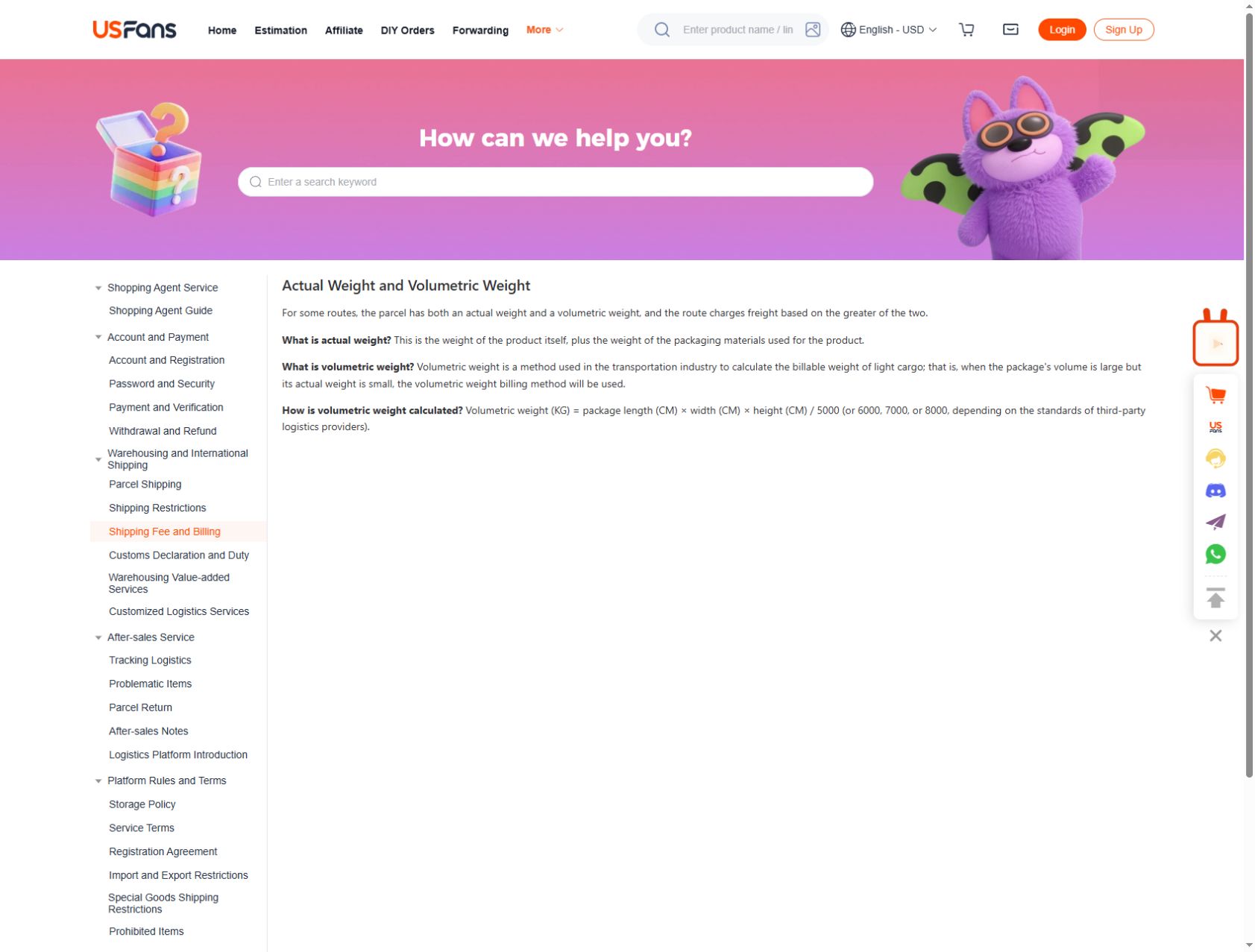
USFans' weight guidance checked on 30 September 2026 includes packaging in actual weight. For routes using both weight measures, it describes charging from the greater of actual and volumetric weight; the divisor depends on the logistics provider. Check that divisor and any billing increments for your selected service before comparing two estimates.
Consider these three hypothetical scenarios, all using a divisor of 6,000. The last column assumes a service comparing actual and volumetric weight; it is before any billing increments.
| Example | Outer dimensions (cm) | Actual packed weight | Volumetric calculation | Larger weight |
|---|---|---|---|---|
| A | 45 × 30 × 20 | 3 kg | 27,000 ÷ 6,000 = 4.5 kg | 4.5 kg |
| B: only height changes | 45 × 30 × 30 | 3 kg | 40,500 ÷ 6,000 = 6.75 kg | 6.75 kg |
| C: heavier contents | 45 × 30 × 20 | 5 kg | 27,000 ÷ 6,000 = 4.5 kg | 5 kg |
A and B show the effect of height; A and C show why actual weight still matters. These are teaching examples, not USFans quotes, measured customer parcels or a recommendation to change protective packaging.
Even if the contents' physical weight is unchanged, the volume calculation differs. The service's rules determine whether that difference affects billable weight, including any comparison with actual weight and applicable rounding. Dividing dimensions alone does not produce a price.
Change one assumption and keep both results
Suppose you want to explore whether different packing affects an estimate. Keep the contents and destination fixed, then compare the two supported packing scenarios. Preserve the original result instead of replacing it with a lower-looking number that you can no longer explain.
If you instead remove an item, note that you are comparing a different parcel. The saving is not purely a more efficient shipping service: you are sending less. That distinction matters when you decide whether to split a basket or postpone an item.
Packing choices should also account for protection and any requirements of the contents. Do not choose a configuration solely because an example calculation produces a smaller value.
Ask what the displayed amount includes
Separate a transport estimate from merchandise spending and any other charges. Review whether selected services or extras are included in the result. Check the offer's stated treatment of customs-related charges rather than assuming the transport figure includes them. If a figure's scope is unclear, ask before treating it as the amount you will pay.
Compare results in a consistent currency and at a comparable stage. An early estimate and an amount after packing may differ because the inputs or conditions changed. A coupon can also affect one result without changing the underlying parcel.
Do not infer that an offer applies to your account or route from an old screenshot. Check the conditions displayed for the actual transaction. Request an explanation of the particular amount and its inputs rather than asking why shipping is expensive in general.
When the calculator shows no suitable option
First check that the required fields and units are correct. Then review the contents and destination against the service information available. An empty result does not justify inventing a route, changing the declared contents to something inaccurate or choosing a nearby country to force a price.
Ask which input or condition prevents an applicable quote. Keep the exact scenario so the answer relates to your intended parcel, and obtain a new applicable proposal before treating a previously saved service as available.
Diagnose a surprising result with an input audit
Before blaming a service price, test whether the request still describes the same parcel. Start with unit errors because they can be large while looking like ordinary numbers on a form. For example, a hypothetical record of 4,500 grams represents 4.5 kilograms, not 4,500 kilograms. Do not submit deliberately wrong inputs to test a live service; inspect your notes and the form labels.
Next check the shape of the entered data. A garment length accidentally entered as box length is not a rounding issue. Nor is one box dimension copied into all three fields. Correct the information rather than trying different services until one produces an appealing total.
Then review the meaning of the result. Did you save a weight figure as though it were a currency amount? Did an optional service enter one scenario but not the other? These are different discrepancies and call for different corrections.
Use a short diagnosis record: observed difference, possible input mismatch, checked evidence and revised result. If the inputs really match and the reason remains unexplained, ask about the two specific proposals instead of inventing an error in the calculation.
Recheck when the parcel becomes real
After items are selected and packing information is available, update the estimate using the actual inputs. Check that the service remains applicable and that the amount's scope matches what you intend to purchase.
If the later amount is different, compare the old and new records field by field. Start with weight and dimensions, then contents, packing, destination, service and extras. Do not assume the reason before identifying a change.
A useful enquiry is: “The earlier estimate used these inputs; the current parcel uses these inputs. Which change accounts for this difference?” That gives a clearer basis for discussion than a screenshot showing only the two totals.
Cost and time are separate outputs
A lower amount does not establish a suitable delivery deadline. Review the service's timing information and its starting event separately. The delivery-time guide explains how purchasing, warehouse handling and transport can contribute different intervals.
Once the parcel is dispatched, follow its actual events through the tracking guide. A previous calculator result should not be rewritten as a promise that a particular event will occur on a specific date.
Frequently asked questions
Can I calculate an exact price from kilograms alone?
Not without the applicable service rules and other required inputs. Dimensions, destination and contents may affect the available services or calculation.
Does this page calculate live USFans shipping?
No. It explains how to prepare inputs and interpret a result. Obtain the current quote through the service's actual workflow.
Can I copy a friend's result for a similar parcel?
Use it only as context. Your packing, destination, service and quote date may differ, so it is not your payable amount.
Should an estimate include the weight of the packaging?
Establish what the input requests and what stage you are estimating. For a packed-parcel comparison, keep the packaging within the measured parcel rather than silently using product-only weight.
What is the most useful record to keep?
Keep the inputs and service with the result, not only the total. That lets you recheck the estimate after a real change.