
USFans Tracking: Follow One Parcel Through Its Recorded Events
Start USFans tracking with the parcel you actually submitted, not the product link you originally saved. A purchase order, a warehouse item and an international shipment describe different parts of the process. Identify which record you are reading before interpreting its status.
In your USFans parcel record, open the matching parcel's “Tracking Details” rather than using a product or purchase-order number. The platform's tracking instructions checked on 30 September 2026 identify that entry for following the parcel. If you have not submitted a parcel yet, begin with the warehouse guide and shipping guide; the explanation below does not retrieve private shipment records.
Match the number to the right record
Copy the tracking reference from the parcel record rather than typing it from memory. Keep the service or carrier context beside it. An order identifier is not automatically a carrier tracking number, and a saved product address cannot locate your shipment.
If you have split a purchase into two parcels, keep separate timelines. One parcel moving does not establish the other's state. If a later delivery reference is provided, retain its relationship to the original parcel rather than replacing the earlier record without explanation.
The USFans spreadsheet guide shows where product selection ends and parcel management begins. That distinction prevents a seller-dispatch update from being mistaken for an international shipment event.
Read the event, time and source together
Record the wording of the latest event, its timestamp and where it appears. If a timezone is shown, preserve it. Compare dates carefully before concluding that events happened in the wrong order.
| Detail | What it helps establish |
|---|---|
| Parcel reference | Which shipment the update concerns |
| Carrier or service context | Which system's terminology you are reading |
| Event wording | The reported stage, rather than your prediction |
| Event timestamp | When that event is recorded as occurring |
| Page check time | When you viewed the information |
| Location, if provided | The location attached to that particular event |
An event timestamp and the time you refreshed the page are different things. A newly viewed page can contain an older event. Conversely, an account summary and a detailed carrier record may present information differently; compare the actual records before deciding they contradict each other.
A label is not the whole journey
Carrier terminology needs its own context. UPS, for example, explains that its “Label Created” state means shipment details and billing information have been received; its status changes after it has possession of the shipment and it moves within the network. That is a UPS definition, not evidence that UPS carries your USFans parcel.
For your shipment, use the explanation supplied by the carrier actually associated with the reference. Do not turn the existence of a number into proof of physical acceptance or a scheduled delivery.
UPS also distinguishes delivery to its Access Point from delivery to a recipient's address: its definition says the collection location has received the parcel and it is ready for pickup. If that is the event on your actual UPS record, check the collection instructions rather than treating it as a home-delivery confirmation. Other carriers may use different wording.
Equally, do not declare a parcel lost solely because you cannot see a new scan. An unchanged record tells you that no newer event is visible in that record; establishing the reason requires more information.
Compare conflicting updates without merging them
Imagine a hypothetical parcel whose account summary says it has been dispatched, while a carrier record only shows an electronic-information event. Write down both sources and timestamps. The useful question is whether the parcel has been handed to that carrier and whether the two records refer to the same stage.
Do not erase one record or invent an intermediate scan to make the timeline look complete. Ask for clarification using the matching parcel reference. A second buyer's tracking history may suggest a question, but cannot supply the missing event for your shipment.
Name the parcel and the specific event you need clarified. Include the relevant events privately and ask what stage has actually been confirmed.
Keep split parcels separate even when they began as one basket
Consider a hypothetical purchase divided into a clothing parcel and a shoe parcel. The clothing record shows a carrier acceptance event; the shoe record still shows shipment information received. An overall account notification about a dispatched parcel does not establish that both parcels have reached the same stage.
Match each notification to its own reference and contents. If a later local-delivery number appears, record which original parcel it belongs to. Do not attach the clothing parcel's scan to the shoes merely because both originated in the same shopping session. This example describes a checking method, not an actual customer shipment.
When the displayed times seem out of order, compare the stated timezones before sorting events. If a timezone is absent, keep that uncertainty rather than assigning one to make the sequence fit. The time you took a screenshot is also not a replacement for the event timestamp.
When a parcel appears stalled
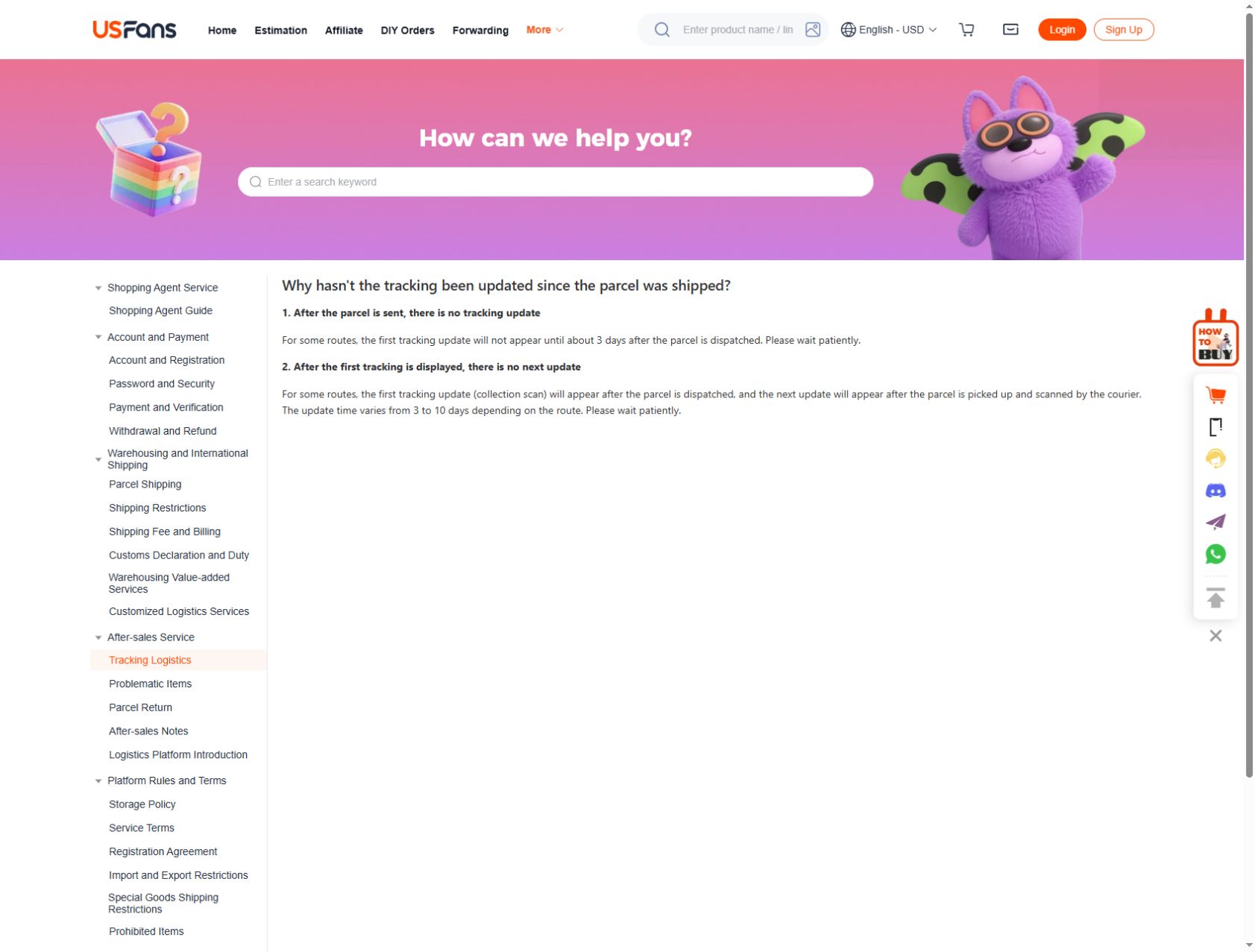
USFans' guidance checked on 30 September 2026 distinguishes two update gaps on some routes. A first tracking update may take about three days after dispatch. After an initial collection scan, a subsequent update may take three to ten days depending on the route, following the courier's pickup and scan. These are descriptions of possible tracking-update intervals, not promises about delivery or instructions to ignore a message requiring action.
Check the identifier and service context first. Then compare the last visible event with the service's stated guidance and any response already provided for your parcel. There is no single number of silent days that proves the same problem for every route.
If a stated window has passed or an event requests action, contact the appropriate service with the specific record. Explain what has not changed and since when. Ask whether information or action is needed from you rather than assuming that repeated page refreshes can resolve the underlying issue.
Keep the delivery-time guide separate from tracking. An estimated duration helps planning; a tracking event reports a stage. Neither should be silently rewritten into a guarantee of arrival on a particular day.
Delivery-point and delivered messages need context
A reference to a delivery point is not the same as you confirming receipt at home. Read any collection or recipient instructions attached to the event and verify them through a known route. Do not follow an unexpected payment link simply because a message mentions a parcel.
If a record says delivered but you do not have the parcel, review the available delivery details and raise the discrepancy with the relevant service. Keep the event and your observation separate: the record reports delivery, while you are reporting that you have not received it. Do not invent a recipient or location to resolve that conflict.
The spreadsheet safety guide covers unexpected requests for account or payment information. A tracking concern should not require sharing passwords with someone who contacts you unsolicited.
Protect the shipment's private details
Keep full references, addresses and delivery documents in your private records. If asking a public community a general question, redact identifying details and show only the status context needed to explain it. Check barcodes and QR codes as well as visible address text before sharing an image.
Retain the original privately if it may be needed to explain a problem. A redacted public example should not change the event wording or timing in a way that misrepresents what happened.
Tracking cannot answer a product-quality question
A shipment arriving does not establish that every item is correct or suitable. On receipt, compare the contents with what you expected. For appearance questions, use the QC photos guide; for a remedy question, read returns and refunds.
If you are browsing for a later purchase, inspect the TNF T-shirt candidate on USFans as a separate comparison. That product destination is not tied to the shipment examples above and cannot locate, accelerate or change an existing parcel.
Build the relationship before reading the headline
Keep three levels separate: the purchase you made, the individual products being handled and any parcels subsequently created. Add payment information as a related record rather than treating it as evidence that the goods have moved.
| Record | What it identifies | What it does not establish alone |
|---|---|---|
| Purchase or order | The request associated with the chosen products | Receipt of every product at the warehouse |
| Individual item | A particular product and option | Progress of other items in the basket |
| Payment | A financial action and its recorded state | Physical dispatch or inspection completion |
| Parcel | A defined group submitted for shipping | Inclusion of every earlier purchase |
| Carrier event | An update for the matching shipment | The condition of every item inside |
The USFans spreadsheet guide explains how the stages connect. If the question is about a saved product rather than an order, use spreadsheet links first.
A split-basket example
Imagine a hypothetical purchase with two shirts and a bag. The first shirt has been inspected, the second is still awaiting a seller update, and the bag has a question about its selected option. Later, you choose to send only the first shirt.
You now have a parcel record for that shirt, an unresolved purchase-stage question for the second shirt and an item-level question for the bag. A shipment event for the first shirt does not mean all three are travelling. Equally, the second shirt's lack of progress does not mean the first parcel has stopped.
Write the relationship down in plain language: “first shirt in parcel; second shirt awaiting update; bag awaiting option clarification.” That is more useful than trying to assign one overall description to everything.
This is an illustration, not a report from an actual USFans account. Use your own item and parcel records to establish the corresponding relationships.
Frequently asked questions
Why does my order have no international tracking yet?
First establish whether you are looking at a product order or a submitted international parcel. Ask about the specific stage shown rather than assuming a missing carrier event describes the whole purchase.
Can I use a tracking number from another buyer to predict mine?
Their timeline describes their shipment. It may differ in destination, service and date, so it cannot fill gaps in your parcel's record.
Does a status saying “in transit” give an exact arrival date?
Read the associated service information and any displayed estimate. A broad movement label alone does not establish a precise delivery commitment.
What should I send support when records disagree?
Provide the matching parcel reference through the appropriate private channel, the two event texts and their timestamps. Ask which stage is confirmed and whether any action is required.